- Page d'accueil /
- Électronique /
- Computers, Laptops and Tablets /
- Computer Software for Home & Office /
- Photo, Video & Music Editing Software /
- Suite De Conversion VidÉo (pc&mac) Par Vidbox...
0 ratings


Numéro d'article:
30827973
Suite De Conversion VidÉo (pc&mac) Par Vidbox©
85% des répondants recommanderaient ceci à un ami
Numéro d'article:
30827973
CAD 146
Détails du prix
Hors frais de livraison et de douane ( Les frais de livraison et de douane seront calculés lors du paiement )
*Tous les articles seront importés depuis États-Unis
Afterpay Information

Split your bill into 4 payments of CAD 36.5 interest-free
 Add the item to your cart
 Select Afterpay at checkout
 Fill in your details
 Complete your first payment
and pay the remaining in easy instalments or according to the payment plan you selected
Here’s why you should Afterpay it

Get everything you need now..
Shop thousands of brands and millions of products, online and in-store.

Pay over six weeks.
Make the first payment upfront and the rest over time. Always interest-free when you pay it in 4.

No fees when you pay on time.
We’ll send you reminders and cap late payments to help you get back on track.
(1) Terms and conditions. apply. (2) Installment Agreement. (3) Eligible for customers in. Canada, (4) Your final payment plan may vary depending on your credit history.
0 ratings
Écrire un commentaire
En stock
 Importé depuis la boutique USA
QTY:
Commandez maintenant et recevez votre commande aux alentours du Sunday, Novembre 08
Transaction sécurisée
Ubuy s'engage à protéger votre sécurité et votre confidentialité. Notre système avancé de sécurité des paiements garantit la confidentialité en chiffrant vos informations lors de la transmission grâce aux protocoles AES (Advanced Encryption Standards) et SSL (Secure Socket Layer). Vos coordonnées de paiement sont 100 % sécurisées car nous ne partageons pas vos informations de paiement avec des vendeurs tiers.
Nos meilleurs partenaires logistiques


Capture des anciennes cassettes VHS, Beta, 8 mm ou de caméscope et convertissez-les en DVD ou d'autres formats numériques.

Achetez maintenant, payez plus tard

Livraison
rapide

Retour
gratuit*

Emballage sécurisé

Produits 100 % originaux

Conformité PCI DSS

Certifié ISO 27001




Ce qui se démarque
Support multiplateforme
La suite de conversion vidéo de Vidbox fonctionne sans problème sur PC et Mac, garantissant l'accessibilité à un public plus large, permettant aux utilisateurs de convertir des vidéos indépendamment de leur système d'exploitation préféré.
Interface conviviale
L'interface intuitive simplifie le processus de conversion vidéo, permettant aux utilisateurs de tous niveaux de compétence de naviguer facilement et de réaliser des conversions sans nécessiter d'expertise technique.
Sortie de haute qualité
Offrant une qualité vidéo supérieure après conversion, Vidbox garantit que les utilisateurs maintiennent l'intégrité de leurs médias, fournissant des résultats exceptionnels tant pour un usage personnel que professionnel.
Détails du produit
- Video Conversion Suite for PC & Mac
- Easily convert videos to digital formats
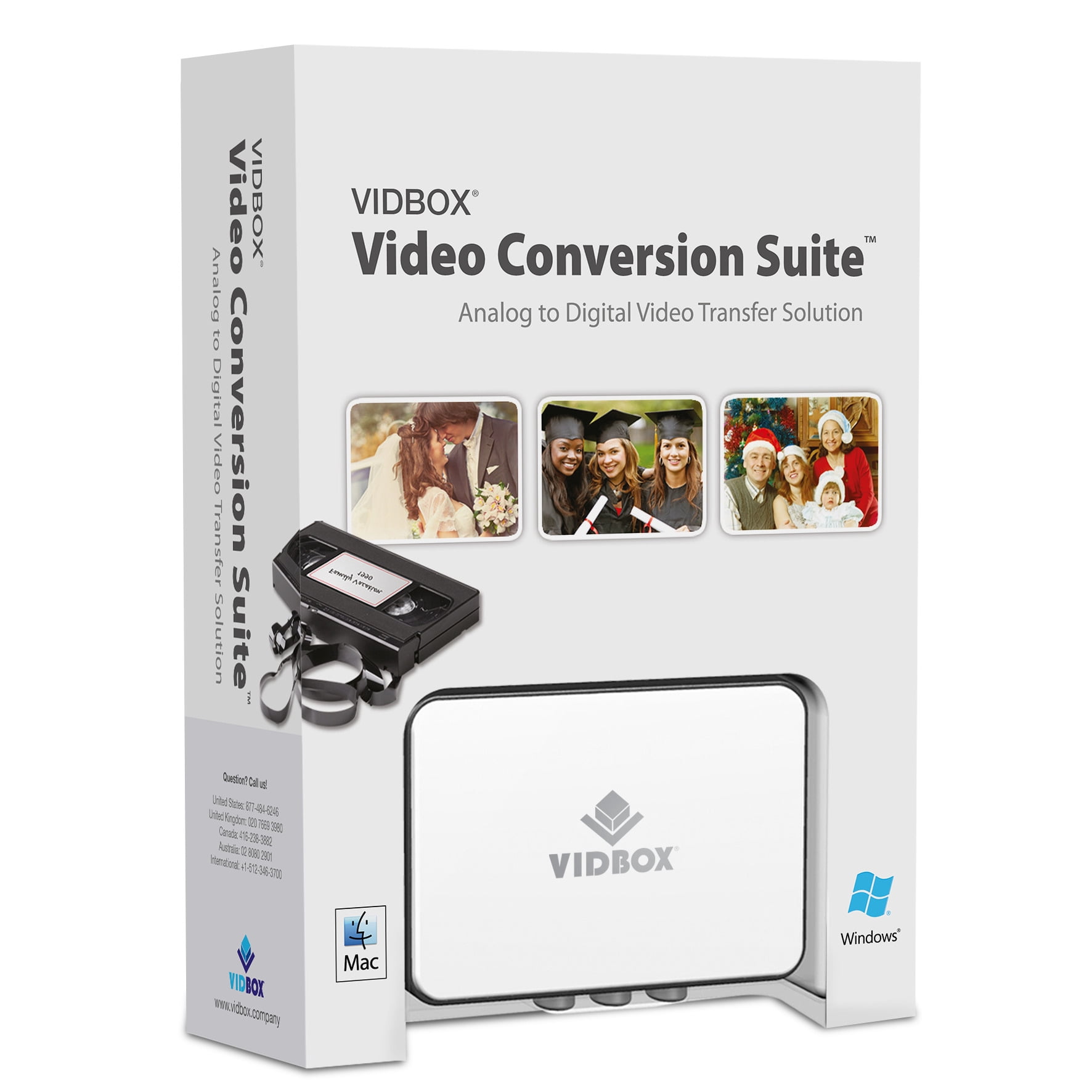
- Includes USB video capture device, USB cable, and RCA AV cable
- Step-by-step instructions for novice users
- Compatible with VCRs, camcorders, DVD players, and game consoles
- Supports NTSC, SECAM, and PAL video standards
| Type de logiciel informatique | Image, Vidéo & Logiciel audio |
| Système d'exploitation | Windows 10/11 |
| Marque | VIDBOX |
| Nombre d'utilisateurs | 2 |
| Gamme de produits | Suite de conversion vidéo |
| Modèle | VIPRB-Suite de conversion vidéo (PC) |
| Périphériques requis | Dispositif de capture vidéo USB, câble USB, câble RCA AV |
| Langues prises en charge | English, French, Portuguese, Korean |
| Fabricant | VIDBOX |
| A écrit garantie | Non |
| Poids de l'article | 1.5 lbs (680 grammes) |
À qui est-ce destiné ?

-
Passionnés de vidéo
Idéal pour les amateurs qui convertissent et éditent fréquemment divers formats vidéo pour des projets personnels et le partage.
-
Utilisateurs à domicile
Parfait pour les familles ayant besoin de convertir de vieilles vidéos familiales en formats numériques pour un stockage et une visualisation plus faciles.
-
Objectifs éducatifs
Utile pour les enseignants et les étudiants qui doivent convertir des vidéos pour des présentations ou des projets de classe sur différentes plateformes.

-
Éditeurs professionnels
Pas adapté pour les éditeurs vidéo professionnels nécessitant des fonctionnalités avancées au-delà de la simple conversion.
-
Utilisateurs simplifiés
Peut submerger les utilisateurs qui préfèrent un logiciel simple, sans fioritures, sans ensembles d'outils ou options étendues.
-
Conscients du budget
Pourrait ne pas être le meilleur choix pour les utilisateurs recherchant des alternatives gratuites ou à faible coût avec des besoins de conversion basiques.
DESCRIPTION DU PRODUIT
Vous avez une question ? Chattez avec nous
Product Buying Guide
Le VIDBOX Video Conversion Suite est une solution tout-en-un pour convertir des vidéos en formats numériques, prenant en charge à la fois Windows PC et Mac. Ce produit comprend un dispositif de capture vidéo USB, une carte de téléchargement de logiciel, un câble USB, un câble RCA AV, et un guide de démarrage rapide. Il est conçu pour les utilisateurs ayant des cassettes VCR/caméscope qui souhaitent préserver leurs vidéos en les convertissant en DVD ou en fichiers numériques. Les exigences système incluent Windows 10/11 ou macOS 10.12 ou supérieur, un port USB 2.0 ou 3.0 disponible, un processeur Intel Core i5 ou supérieur, 4 Go de RAM, et 15 Go d'espace disque dur libre recommandé. Les normes vidéo prises en charge sont NTSC, SECAM, et PAL, avec des formats de sortie incluant MPEG2, DVD, et MP4 pour PC, et MP4 pour Mac. Le produit prend également en charge plusieurs langues telles que l'anglais, le français, l'espagnol, le portugais, et le coréen.
Key Features
- Instructions picturales étape par étape pour les utilisateurs novices
- Prise en charge des VCR (VHS, Betamax, S-VHS), caméscopes (8 mm, DV, mini DV, HDV, AVCHD), lecteurs DVD, consoles de jeux, et plus
- Comprend deux cartes de téléchargement de logiciel pour Windows et Mac
Usage Scenarios
- Capturer et convertir d'anciennes cassettes VHS, Beta, 8 mm, ou caméscope en DVD ou formats numériques
- Convient pour une utilisation avec divers lecteurs vidéo, y compris VCR, caméscope, TV, lecteur DVD, et console de jeux
Some User Review
- Le VIDBOX Video Conversion Suite m'a permis de convertir incroyablement facilement mes anciennes cassettes VHS en formats numériques. Le guide étape par étape était très utile, et le logiciel a fonctionné sans problème sur mon PC Windows.
Competitors
- Varie en fonction du vendeur et des offres supplémentaires telles que la garantie et le support
Buying Considerations
- Assurez-vous que les exigences système du produit correspondent aux spécifications de votre PC ou Mac
- Considérez le besoin de câbles supplémentaires en fonction de la compatibilité de vos lecteurs vidéo existants
- Vérifiez le processus d'activation pour les cartes de téléchargement de logiciel incluses dans le paquet
Conclusion
Le VIDBOX Video Conversion Suite offre une solution efficace pour convertir d'anciennes cassettes VHS, Beta, 8 mm, ou caméscope en formats numériques modernes. Avec son processus facile à suivre et sa large compatibilité, il s'adresse aux utilisateurs cherchant à préserver leurs vidéos familiales chères tout en garantissant des résultats de conversion de haute qualité.
Voir moinsLe VIDBOX Video Conversion Suite est une solution tout-en-un pour convertir des vidéos en formats numériques, prenant en charge à la fois Windows PC et Mac. Ce produit comprend un dispositif de capture vidéo USB, une carte de téléchargement de logiciel, un câble USB, un câble RCA AV, et un guide de démarrage rapide. Il est conçu pour les utilisateurs ayant des cassettes VCR/caméscope qui souhaitent préserver leurs vidéos en les convertissant en DVD ou en fichiers numériques. Les exigences système incluent Windows 10/11 ou macOS 10.12 ou supérieur, un port USB 2.0 ou 3.0 disponible, un processeur Intel Core i5 ou supérieur, 4 Go de RAM, et 15 Go d'espace disque dur libre recommandé. Les normes vidéo prises en charge sont NTSC, SECAM, et PAL, avec des formats de sortie incluant MPEG2, DVD, et MP4 pour PC, et MP4 pour Mac. Le produit prend également en charge plusieurs langues telles que l'anglais, le français, l'espagnol, le portugais, et le coréen. Continue Reading
Questions et réponses des clients
-
question:
Comment acheter Suite De Conversion VidÉo (pc&mac) Par Vidbox© en ligne sur Ubuy ?
répondre: Il est facile d'acheter Suite De Conversion VidÉo (pc&mac) Par Vidbox© en ligne sur Ubuy.. Il vous suffit de rechercher le produit, de choisir votre mode d'expédition lors du paiement et de le faire livrer à votre emplacement. -
question:
Suite De Conversion VidÉo (pc&mac) Par Vidbox© est-il disponible pour effectuer des achats en ligne à Canada ?
répondre: Oui, chez Ubuy Canada, ce produit est disponible pour vous à un prix raisonnable.. Le Suite De Conversion VidÉo (pc&mac) Par Vidbox© n'est pas disponible localement mais vous pouvez nous faire confiance avec nos services d'expédition express. -
question:
Combien de temps faut-il pour obtenir le produit après avoir passé la commande ?
répondre: Le délai de livraison de votre produit commandé varie en fonction de ce que vous avez commandé et de la méthode d'expédition que vous avez choisie.. Le délai de livraison estimé est mentionné lors du processus de commande, alors soyez insouciant lors de vos achats.
VIDBOX Photo, Video & Music Editing Software Editorial Review
VIDEO CONVERSION SUITE (PC&MAC) BY VIDBOX© est un outil efficace pour transformer vos médias analogiques en formats numériques, ce qui le rend idéal pour ceux qui cherchent à préserver de vieilles vidéos. Les utilisateurs ont noté sa facilité d'utilisation, et le logiciel s'intègre bien dans les exigences système de Windows 10/11, bien que certains utilisateurs aient trouvé le processus d'installation initial un peu délicat sur les systèmes Mac. La suite prend en charge plusieurs langues et peut accueillir deux utilisateurs, ce qui ajoute de la flexibilité pour les projets familiaux ou le travail collaboratif. Lorsqu'il est combiné avec les périphériques requis, il offre une solution complète de conversion vidéo DIY.
Avis et évaluations clients
1 évaluations des clients
-
5 étoile
100%
-
4 étoile
0%
-
3 étoile
0%
-
2 étoile
0%
-
1 étoile
0%
Donnez votre avis sur ce produit
Partagez votre avis avec d'autres clients
Avantages
- Facile à utiliser pour la conversion vidéo DIY
- Prend en charge les environnements PC et Mac
- Options multilingues disponibles
- Idéal pour préserver les anciennes cassettes VHS
- Accommode efficacement deux utilisateurs
Les inconvénients
- La configuration initiale peut être délicate pour les utilisateurs de Mac
CONFIANCE EN LA PLATEFORME & PROTECTION DE L'ACHETEUR

JK
Jasmin
Acheteur vérifié
“Great products and very good service: very easy and very fast international delivery.”
9 September 2026 · via Trustpilot
AG
Anke
Acheteur vérifié
“Wonderful online shopping experience, smooth transaction from the start. Payment method works conveniently and delivery is unexpectedly fast and reliable. You go the extra mile for service. What makes this even more amazing, you deliver to Namibia. I will remain a happy Ubuy customer and will increase my purchases for sure! Thank you!”
10 September 2026 · via Trustpilot
H
Hazel
Acheteur vérifié
“Very easy to find the products what you need, and so fast delivery, that’s why I highly recommended to others costumers to used ubuy.”
10 September 2026 · via Trustpilot
O
Opaleye
Acheteur vérifié
“I received exactly what I ordered I was skeptical about your site because that was my first time to order. But the order came timely and neatly packaged. I was not disappointed. Thank you.”
11 September 2026 · via Trustpilot
AC
Adele
Acheteur vérifié
“Easy to find and order what you want on the website. Delivery is quick to the UK”
8 September 2026 · via Trustpilot
POURQUOI ACHETER CHEZ NOUS
Paiement sécurisé
Global Delivery
Retours faciles
Genuine Products
Historique des prix du produit
Informations importantes
- Limitations : Pour les produits expédiés à l'international, veuillez noter que toute garantie du fabricant peut ne pas être valide ; les options de service du fabricant peuvent ne pas être disponibles ; les manuels, instructions et avertissements de sécurité des produits peuvent ne pas être dans les langues du pays de destination ; les produits (et les matériaux qui les accompagnent) peuvent ne pas être conçus conformément aux normes, spécifications et exigences d'étiquetage du pays de destination ; et les produits peuvent ne pas être conformes à la tension et aux autres normes électriques du pays de destination (nécessitant l'utilisation d'un adaptateur ou d'un convertisseur le cas échéant). Il incombe au destinataire de s'assurer que le produit peut être importé légalement dans le pays de destination. En cas de commande auprès d'Ubuy ou de ses filiales, le destinataire est l'importateur officiel et doit se conformer à toutes les lois et réglementations du pays de destination.
- Tous les produits listés sur Ubuy ne sont pas à vendre, Ubuy étant un moteur de recherche mondial. Les produits sont soumis aux réglementations en matière d'exportation et de commerce.
CAD 146
Commandez maintenant et recevez votre commande aux alentours du Sunday, Novembre 08
This item is not restrict in my country.(Please click on above link if this item is not restrict in your country, So our team will review and allow.)
QTY:
Transaction sécurisée
Conforme PCI DSS et certifié ISO 27001:2022, avec des paiements chiffrés et une protection complète de l'acheteur pour chaque commande.
Nos meilleurs partenaires logistiques
Livraison transfrontalière la plus rapide
Caractéristiques et avantages
- Capturer de vieilles VHS, Beta, 8 mm ou cassettes de caméscope
- Convertir des vidéos en DVD ou d'autres formats numériques
- Comprend un dispositif de capture vidéo USB, un câble USB, un câble RCA AV
- Instructions illustrées étape par étape
- Compatible avec PC Windows et Mac
- Prend en charge divers lecteurs vidéo : VCR, caméscope, lecteur DVD, console de jeux
Assurance Ubuy
Profitez d'une expérience d'achat sereine avec des produits 100 % originaux, une sécurité de paiement conforme PCI DSS, une protection des données certifiée ISO 27001, la livraison transfrontalière la plus rapide, les retours gratuits* et un emballage sécurisé pour chaque commande.