- Page d'accueil /
- Software /
- Business & Office /
- Document Management /
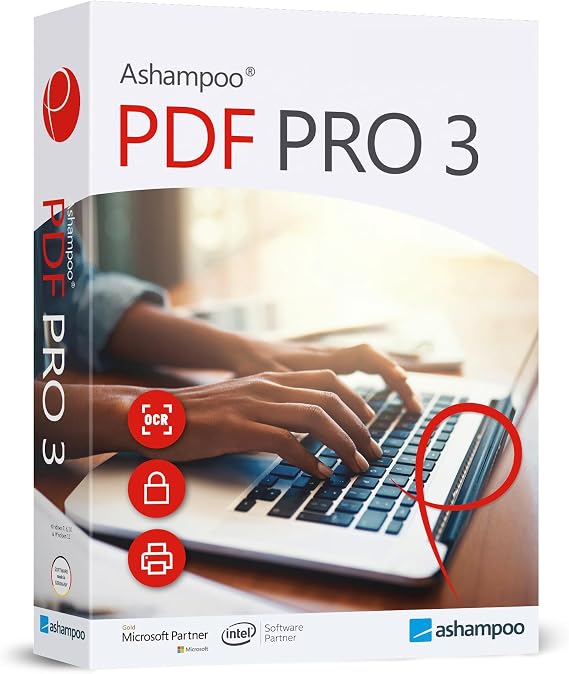
- PDF Pro 3 - PDF editor to create, edit and convert PDFs...
0 ratings


Numéro d'article:
47882628
PDF Pro 3 - PDF editor to create, edit and convert PDFs - 100% Compatible with Adobe Acrobat software for Windows 11, 10, 8.1, 7
81% des répondants recommanderaient ceci à un ami
Numéro d'article:
47882628
CAD 63
Détails du prix
Hors frais de livraison et de douane ( Les frais de livraison et de douane seront calculés lors du paiement )
*Tous les articles seront importés depuis États-Unis
Afterpay Information

Split your bill into 4 payments of CAD 15.75 interest-free
 Add the item to your cart
 Select Afterpay at checkout
 Fill in your details
 Complete your first payment
and pay the remaining in easy instalments or according to the payment plan you selected
Here’s why you should Afterpay it

Get everything you need now..
Shop thousands of brands and millions of products, online and in-store.

Pay over six weeks.
Make the first payment upfront and the rest over time. Always interest-free when you pay it in 4.

No fees when you pay on time.
We’ll send you reminders and cap late payments to help you get back on track.
(1) Terms and conditions. apply. (2) Installment Agreement. (3) Eligible for customers in. Canada, (4) Your final payment plan may vary depending on your credit history.
0 ratings
Écrire un commentaire
En stock
 Importé depuis la boutique USA
QTY:
Commandez maintenant et recevez votre commande aux alentours du Samedi, Octobre 10
Transaction sécurisée
Ubuy s'engage à protéger votre sécurité et votre confidentialité. Notre système avancé de sécurité des paiements garantit la confidentialité en chiffrant vos informations lors de la transmission grâce aux protocoles AES (Advanced Encryption Standards) et SSL (Secure Socket Layer). Vos coordonnées de paiement sont 100 % sécurisées car nous ne partageons pas vos informations de paiement avec des vendeurs tiers.
Nos meilleurs partenaires logistiques


PDF Pro 3 - PDF editor with OCR engine that can recognize the text of scanned documents and 100% compatible with Adobe Acrobat

Achetez maintenant, payez plus tard

Livraison
rapide

Retour
gratuit*

Emballage sécurisé

Produits 100 % originaux

Conformité PCI DSS

Certifié ISO 27001




Ce qui se démarque
Adobe Compatibility
Fully compatible with Adobe Acrobat, ensuring seamless file sharing and editing without format loss, making it an excellent choice for professional environments requiring PDF precision.
Comprehensive Editing Tools
Offers extensive editing capabilities, allowing users to create, modify, and convert PDFs effortlessly, which resolves common frustrations faced with limited or complex PDF software.
User-Friendly Interface
Designed with an intuitive interface that simplifies navigation and enhances productivity, enabling both novice and advanced users to efficiently manage their PDF tasks.
Détails du produit
- Compatible with Windows 11, 10, 8.1, 7 (32 and 64-bit)
- Enables reading, printing, commenting, highlighting, and text editing of PDF files
- Creates interactive forms, compares PDFs, and creates snapshots
- Features OCR engine for scanned document text recognition
- Supports creation and editing of interactive forms, comparison of PDFs, and image editing
- Allows adding comments, highlighting, and document protection with strong AES encryption
| Package Dimensions | 7.48 x 5.31 x 0.59 inches (19 x 13.5 x 1.5 cm); 1.13 ounces (32.04 grams) |
| Item model number | 81149 |
| Date First Available | February 26, 2022 |
| Manufacturer | Markt + Technik |
À qui est-ce destiné ?

-
Business Professionals
Ideal for professionals needing efficient PDF editing and conversion for reports, contracts, and presentations.
-
Students and Educators
Useful for students requiring tools to annotate, edit, and convert academic resources and assignments.
-
Freelancers
Perfect for freelancers working with clients, allowing easy modifications and sharing of project documents.

-
Casual Users
Not advisable for occasional users who may find the software overly complex for simple tasks.
DESCRIPTION DU PRODUIT
PDF Pro 3 - PDF editor to create, edit and convert PDFs - 100% Compatible with Adobe Acrobat software for Windows 11, 10, 8.1, 7
Vous avez une question ? Chattez avec nous
Questions et réponses des clients
-
question:
Comment acheter PDF Pro 3 - PDF editor to create, edit and convert en ligne sur Ubuy ?
répondre: Il est facile d'acheter PDF Pro 3 - PDF editor to create, edit and convert en ligne sur Ubuy.. Il vous suffit de rechercher le produit, de choisir votre mode d'expédition lors du paiement et de le faire livrer à votre emplacement. -
question:
PDF Pro 3 - PDF editor to create, edit and convert est-il disponible pour effectuer des achats en ligne à Canada ?
répondre: Oui, chez Ubuy Canada, ce produit est disponible pour vous à un prix raisonnable.. Le PDF Pro 3 - PDF editor to create, edit and convert n'est pas disponible localement mais vous pouvez nous faire confiance avec nos services d'expédition express. -
question:
Combien de temps faut-il pour obtenir le produit après avoir passé la commande ?
répondre: Le délai de livraison de votre produit commandé varie en fonction de ce que vous avez commandé et de la méthode d'expédition que vous avez choisie.. Le délai de livraison estimé est mentionné lors du processus de commande, alors soyez insouciant lors de vos achats.
Markt + Technik Document Management 81149 Editorial Review
Aucune critique éditoriale trouvée
Avis et évaluations clients
1 évaluations des clients
-
5 étoile
100%
-
4 étoile
0%
-
3 étoile
0%
-
2 étoile
0%
-
1 étoile
0%
Donnez votre avis sur ce produit
Partagez votre avis avec d'autres clients
Historique des prix du produit
Informations importantes
- Limitations : Pour les produits expédiés à l'international, veuillez noter que toute garantie du fabricant peut ne pas être valide ; les options de service du fabricant peuvent ne pas être disponibles ; les manuels, instructions et avertissements de sécurité des produits peuvent ne pas être dans les langues du pays de destination ; les produits (et les matériaux qui les accompagnent) peuvent ne pas être conçus conformément aux normes, spécifications et exigences d'étiquetage du pays de destination ; et les produits peuvent ne pas être conformes à la tension et aux autres normes électriques du pays de destination (nécessitant l'utilisation d'un adaptateur ou d'un convertisseur le cas échéant). Il incombe au destinataire de s'assurer que le produit peut être importé légalement dans le pays de destination. En cas de commande auprès d'Ubuy ou de ses filiales, le destinataire est l'importateur officiel et doit se conformer à toutes les lois et réglementations du pays de destination.
- Tous les produits listés sur Ubuy ne sont pas à vendre, Ubuy étant un moteur de recherche mondial. Les produits sont soumis aux réglementations en matière d'exportation et de commerce.
CAD 63
Commandez maintenant et recevez votre commande aux alentours du Samedi, Octobre 10
This item is not restrict in my country.(Please click on above link if this item is not restrict in your country, So our team will review and allow.)
QTY:
Transaction sécurisée
Conforme PCI DSS et certifié ISO 27001:2022, avec des paiements chiffrés et une protection complète de l'acheteur pour chaque commande.
Nos meilleurs partenaires logistiques
Livraison transfrontalière la plus rapide
Caractéristiques et avantages
- Create, edit and convert PDFs easily
- Edit text, create interactive forms, create snapshots
- Compatible with all PDF tools
- Use on up to 3 PCs
Assurance Ubuy
Profitez d'une expérience d'achat sereine avec des produits 100 % originaux, une sécurité de paiement conforme PCI DSS, une protection des données certifiée ISO 27001, la livraison transfrontalière la plus rapide, les retours gratuits* et un emballage sécurisé pour chaque commande.