- Page d'accueil /
- Sports Outdoor & Fitness /
- Sports & Outdoor Recreation Accessories /
- Electronics & Gadgets /
- Weather Monitors /
- 3.5 inch USB Mini Screen, PC CPU Data Monitor...
0 ratings





Numéro d'article:
70982659
3.5 inch USB Mini Screen, PC CPU Data Monitor PC Sensor Panel 320x480 Mini Second Screen for CPU GPU Usage and Temperature, Network Speed, Weather
Numéro d'article:
70982659
CAD 78
Price Details
Excluding Shipping & Custom charges ( Shipping and custom charges will be calculated on checkout )
*All items will import from États-Unis
Afterpay Information

Split your bill into 4 payments of CAD 19.5 interest-free
 Add the item to your cart
 Select Afterpay at checkout
 Fill in your details
 Complete your first payment
and pay the remaining in easy instalments or according to the payment plan you selected
Here’s why you should Afterpay it

Get everything you need now..
Shop thousands of brands and millions of products, online and in-store.

Pay over six weeks.
Make the first payment upfront and the rest over time. Always interest-free when you pay it in 4.

No fees when you pay on time.
We’ll send you reminders and cap late payments to help you get back on track.
(1) Terms and conditions. apply. (2) Installment Agreement. (3) Eligible for customers in. Canada, (4) Your final payment plan may vary depending on your credit history.
En stock
 Importé depuis la boutique USA
QTY:
Seulement 1 article restant en stock.
Commandez maintenant et recevez votre commande aux alentours du Mercredi, Juin 24
Transaction sécurisée
Ubuy s'engage à protéger votre sécurité et votre confidentialité. Notre système avancé de sécurité des paiements garantit la confidentialité en chiffrant vos informations lors de la transmission grâce aux protocoles AES (Advanced Encryption Standards) et SSL (Secure Socket Layer). Vos coordonnées de paiement sont 100 % sécurisées car nous ne partageons pas vos informations de paiement avec des vendeurs tiers.
nos meilleurs partenaires logistiques


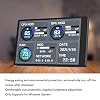
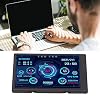
3.5in IPS: The picture is clear and can be placed inside the case or outside the case. Not only can display CPU, GPU, RAM usage and temperature, but also network speed, date, time, volume, weather forecast.

Achetez maintenant payez plus tard

Livraison
rapide

Retour
gratuit*

Emballage sécurisé

Produits 100 % originaux

Conformité PCI DSS

Certifié ISO 27001


Ce qui se démarque
Surveillance en temps réel
Provides real-time temperature readings of CPU and hard disk data, ensuring optimal performance and preventing overheating for prolonged hardware lifespan.
Conception compacte
3.5-inch display size fits seamlessly into computer cases, minimizing space usage while delivering essential temperature information directly at your fingertips.
Interface conviviale
Simple interface allows users to easily navigate temperature readings and settings, making it accessible for both novice and experienced computer enthusiasts.
Détails du produit
- 3.5in : The picture is clear and can be placed inside the case or outside the case. Not only can display CPU, GPU, usage and temperature, but also network speed, date, time, volume, weather forecast.
- Versatile: Customizable screen layouts. Horizontal and vertical screen switching. Visual theme editor: drag the mouse arbitrarily, DIY design exclusive theme. There are a variety of built in themes to choose from, you can change the background image or switch the theme with one click.
- Support: Only support for system, very suitable for your host to use, real time comprehensive understanding of your host status.
- Host Extended Display: Mainly used for host temperature monitoring, no need to use software, no additional power supply, no High Definition Multimedia Interface cable, just a USB data cable to connect the mini secondary screen to the computer, and then start our customized software to use, faster ,more convenient.
- Features: Support horizontal and vertical screen switching, 360° rotation, energy saving and environmental , automatic screen shutdown after shutdown, comfortable eye , stepless brightness adjustment.
| Rapport d'aspect | 1.33:1 |
| Fin de l'écran | Brillant |
| Rapport de contraste | 1000:1 |
| Taux de rafraîchissement | 60 Hz |
| Type d'affichage | LCD |
| Technologie d'affichage | LCD |
| Angle de visualisation | 170 Degrees |
| A Écran Couleur | Yes |
| Taille de l'écran | 3.5 pouces (8.9 cm) |
| Dimensions de l'article D x L x H | 0.3"D x 3.3"W x 2.2"H (0.8 x 8.4 x 5.6 cm) |
| Résolution | 320 x 480 |
| Résolution d'affichage maximum | 320 x 480 |
| Résolution native | 320 x 480 |
| Nombre total de ports HDMI | 1 |
| Total des ports USB 3.0 | 1 |
| Fonctionnalités supplémentaires | Portable |
| Utilisations spécifiques pour le produit | workspace monitoring, gaming setup monitoring, server room monitoring |
| Couleur | 3.5 inch Black 1 (8.9 cm) |
| Forme | Prisme rectangulaire |
| Marque | Dpofirs |
| Numéro de modèle | Dpofirsetq72sohf98319 |
| Nom du modèle | Dpofirsetq72sohf98319 |
| Fabricant | Dpofirs |
| Technologie de connectivité | USB |
| Connectivité matérielle | USB |
| Description de la surface d'écran | Brillant |
À qui est-ce destiné ?

-
PC Enthusiasts
Those who regularly upgrade or modify PCs will benefit from real-time temperature monitoring for optimal performance.
-
Joueurs
Gamers who push their systems to the limit will appreciate monitoring heat levels to prevent overheating.
-
Overclockers
Users who overclock their CPUs or GPUs need precise temperature data to ensure system stability and longevity.

-
Utilisateurs occasionnels
Basic users who run standard applications may find temperature monitoring unnecessary and not worth the investment.
-
Minimalist Setups
Those with limited desk space might find the additional screen cluttering and unnecessary for their simple tasks.
-
Budget Builders
Users on a tight budget may prioritize other components over a dedicated temperature monitor for their PCs.
DESCRIPTION DU PRODUIT
Vous avez une question ? Chattez avec nous
Questions et réponses des clients
-
question:
What features does the Computer Temp Monitor offer?
répondre: The Computer Temp Monitor includes a 3.5-inch display that provides real-time temperature readings for CPU and hard disk drives. It helps users keep an eye on their system's thermal performance, ensuring that temperatures remain in safe operating ranges. This is particularly useful during intensive tasks like gaming or video editing, where overheating can lead to hardware failure. -
question:
How do I install the PC Sensor Panel Display?
répondre: Installation of the PC Sensor Panel Display is straightforward. It typically involves connecting the sensor probes to the motherboard and fitting the display module into a 3.5-inch drive bay in your PC case. Detailed instructions usually accompany the product, making it accessible for users with basic PC building skills. Once installed, it plugs directly into your power supply, and temperatures can be read almost immediately upon startup. -
question:
What information can I expect to see on the temperature display?
répondre: The display provides essential readings such as the temperature of the CPU, motherboard, and hard drives, often displayed in Celsius or Fahrenheit. This real-time data is critical for monitoring system health and can help prevent overheating by alerting you when temperatures reach concerning levels. You can use this information to adjust your cooling solutions accordingly. -
question:
Is the display customizable?
répondre: Yes, the Computer Temp Monitor typically allows for customization in terms of display brightness and color settings. Some models even offer the ability to switch between different temperature units. This flexibility helps users tailor the monitor to fit their personal preferences, ensuring it blends harmoniously with their setup while ensuring information is clear and easy to read. -
question:
Can I connect multiple sensors to monitor additional components?
répondre: Yes, many Computer Temp Monitors come with the ability to connect multiple sensors, allowing you to monitor additional components such as GPU or additional hard drives. This feature is perfect for users who want comprehensive thermal management in a more demanding gaming or workstation setup, helping to maintain optimal performance and longevity of the components. -
question:
How accurate is the temperature reading?
répondre: The accuracy of the temperature readings depends on the quality of the sensors used in the monitor. Most high-quality models provide readings within a few degrees of accuracy, which is generally acceptable for regular usage. This reliability in monitoring is essential for users who prioritize system health, ensuring they can take proactive measures to prevent overheating. -
question:
Will the monitor display information while the PC is off?
répondre: Typically, the Computer Temp Monitor will not display temperatures when the PC is powered off, as it requires power from the computer's power supply to function. However, some models may have a stand-alone battery feature that allows basic display information. This can help you keep track of your system’s health as soon as you power it back on. -
question:
Does the panel fit in most PC cases?
répondre: The 3.5-inch size of the Computer Temp Monitor makes it compatible with most standard PC cases that have a drive bay for 3.5-inch devices. When purchasing, ensure your case includes this space to accommodate the display panel, as this is essential for seamless integration. This mechanism enhances user experience by maintaining a clean and organized setup. -
question:
What are some common use cases for the PC Temperature Display?
répondre: The PC Temperature Display is invaluable for gamers, overclocking enthusiasts, and professionals who rely on high-performance computing. By monitoring temperatures in real time, users can effectively manage airflow, modify fan settings, and identify thermal throttling issues quickly. It's especially beneficial during high-load applications, ensuring your system remains efficient and operational. -
question:
Where can I buy the Computer Temp Monitor in Canada?
répondre: You can purchase the Computer Temp Monitor, 3.5in PC Sensor Panel Display, directly from Ubuy in Canada. Ubuy offers a wide selection of tech gadgets and accessories, including this product. Shopping through Ubuy can ensure a smooth purchasing process with different payment options and efficient support.
Dpofirs Weather Monitors Editorial Review


The Dpofirs 8.8in Computer Temp Monitor is a versatile device that not only functions as a computer temperature monitor but also supports Raspberry Pi. With its high-resolution display of 1920x480 pixels, users can enjoy clear and crisp graphics. One of the standout features of this monitor is its support for DIY themes, which gives users the ability to customize the appearance of the display according to their preferences. Customers who have used the Dpofirs 8.8in Computer Temp Monitor have been generally satisfied with its performance. They appreciate how easy it is to connect and set up the monitor with their computer or Raspberry Pi. The temperature data display of CPU, GPU, and RAM is accurate and helpful in monitoring the system's performance. The ability to create and apply DIY themes has received positive feedback from users who enjoy personalizing the display. They find it enjoyable to create themes that suit their taste and enhance their computing experience. In terms of drawbacks, some customers have reported that the monitor's screen is not very bright, especially in well-lit environments. This can make it difficult to read the temperature data at times. However, this issue can be mitigated by adjusting the display settings or using the monitor in a dimmer environment. Overall, the Dpofirs 8.8in Computer Temp Monitor proves to be a reliable and customizable device for monitoring computer temperature and connecting with Raspberry Pi. Its high-resolution display and support for DIY themes make it a popular choice among users looking for a versatile and personalized temperature monitoring solution.
Avis et évaluations clients
18 évaluations des clients
-
5 étoile
26%
-
4 étoile
0%
-
3 étoile
33%
-
2 étoile
0%
-
1 étoile
41%
Donnez votre avis sur ce produit
Partagez votre avis avec d'autres clients
Avantages
- Compatible with Raspberry Pi
- High-resolution display (1920x480 pixels)
- Supports DIY themes for personalized display
- Accurate temperature data display for CPU, GPU, and RAM
- Easy to set up and connect
Les inconvénients
- Screen brightness can be dim in well-lit environments
Historique des prix du produit
Informations importantes
- Limitations : Pour les produits expédiés à l'international, veuillez noter que toute garantie du fabricant peut ne pas être valide ; les options de service du fabricant peuvent ne pas être disponibles ; les manuels, instructions et avertissements de sécurité des produits peuvent ne pas être dans les langues du pays de destination ; les produits (et les matériaux qui les accompagnent) peuvent ne pas être conçus conformément aux normes, spécifications et exigences d'étiquetage du pays de destination ; et les produits peuvent ne pas être conformes à la tension et aux autres normes électriques du pays de destination (nécessitant l'utilisation d'un adaptateur ou d'un convertisseur le cas échéant). Il incombe au destinataire de s'assurer que le produit peut être importé légalement dans le pays de destination. En cas de commande auprès d'Ubuy ou de ses filiales, le destinataire est l'importateur officiel et doit se conformer à toutes les lois et réglementations du pays de destination.
- Tous les produits listés sur Ubuy ne sont pas à vendre, Ubuy étant un moteur de recherche mondial. Les produits sont soumis aux réglementations en matière d'exportation et de commerce.
CAD 78
Commandez maintenant et recevez votre commande aux alentours du Mercredi, Juin 24
This item is not restrict in my country.(Please click on above link if this item is not restrict in your country, So our team will review and allow.)
QTY:
Seulement 1 article restant en stock.
Transaction sécurisée
Ubuy s'engage à protéger votre sécurité et votre confidentialité. Notre système avancé de sécurité des paiements garantit la confidentialité en chiffrant vos informations lors de la transmission grâce aux protocoles AES (Advanced Encryption Standards) et SSL (Secure Socket Layer). Vos coordonnées de paiement sont 100 % sécurisées car nous ne partageons pas vos informations de paiement avec des vendeurs tiers.
nos meilleurs partenaires logistiques
Livraison transfrontalière la plus rapide
Caractéristiques et avantages
- 3.5 inch IPS screen
- Clear picture quality
- Can be placed inside or outside the case
- Displays CPU, GPU, RAM usage and temperature
- Shows network speed, date, time, volume, weather forecast
- Supports horizontal and vertical screen switching